Report a Claim

Report a workers’ compensation or casualty claim quickly and securely online or by phone. 24/7 claim reporting available.

1-866-886-6305 | firstreport@lodestar.com

Headquarters
380 Sentry Parkway
Blue Bell, PA 19422-0754

Man working on laptop next to beagle

Choose How to Report a Claim

RadiusR Claim Reporting

Report a Claim Online

Submit claims securely through RadiusR, our enhanced online reporting platform available 24/7. 

Customer Service Center

Report by Phone, Fax, or Email

Call our claims support team for immediate assistance and guidance, or submit a report using the options below:

  • Call 866-886-6305
  • Email firstreport@lodestar.com
  • Fax First Reports to 877-374-0935, or
  • Send general correspondence to 877-374-0936.

Lodestar (formerly PMA Management Corp.) provides secure, reliable claim reporting and support.

What Happens After You Report a Claim 

Once a claim is reported, our team begins proactive management to guide the process forward.

After Submission

Initial Review and Outreach

Our claims team typically begins review within 24 hours, contacting relevant parties to clarify details, set expectations, and begin the investigation process. 

Woman riding train, working on phone and laptop
Woman leading office meeting

Secure and Accurate Processing

Safe, Flexible Online Access

Claims submitted through RadiusR offer secure self-registration with multifactor authentication, the ability to save draft claims, and a guided submission experience to ensure accuracy.

Ongoing Claim Management

Guidance Throughout the Process

Our teams manages communication, coordination with medical providers when needed, and next steps throughout the life of the claim. 

Two men going over paperwork in cafe

RadiusR

RadiusR is a new, cloud-based RMIS system designed to deliver fast access to claims details and data-driven insights in an easy-to-use application. RadiusR provides RMIS users with a consolidated and organized view of their claims data, providing a single source of truth for all stakeholders. To learn more:
RadiusR Overview cover

RadiusR Overview Sheet

RadiusR User Guide cover

RadiusR User Guide

RadiusR Reporting Requirements cover

RadiusR Claim Reporting Instructions

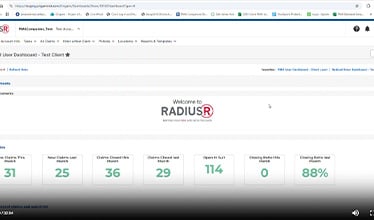
RadiusR Demonstration Video

What's Next for Existing CINCH

For now, nothing changes with your Cinch log-in or how you use the system until you are notified of your transition time frame. RadiusR will be replacing our Cinch application in a phased approach. Cinch users will be notified of their targeted transition date approximately three (3) weeks prior to the formal transition date.

Cinch and RadiusR Will Coexist During the Transition

We will keep Cinch fully operational during the transition to RadiusR. This means current PMA Cinch users will continue accessing PMA Cinch until they have completed their transition to the new system. Our goal is to ensure you retain the same level of access to your critical claims throughout the transition to RadiusR.

Need help logging into or registering for RadiusR?
Call 1-888-476-2669 or email RadiusR@pmagroup.com

Frequently Asked Questions

Find answers to common questions about reporting a claim and what to expect after submission.